





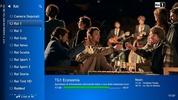
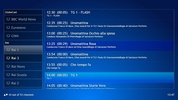
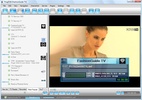

If you have a PC TV card installed in your computer and a parabolic antenna, ProgDVB will be really useful.
ProgDVB is a very powerful application which will allow you to access several channel broadcasted via satellite.
ProgDVB searches for every channel available (no matter if they are video or radio channels). It includes several visualization options and it supports plug-ins to enhance its performance.
If the channel has teletext it will be able to show it too, import and export channel lists, record any program,...
And it supports a lot of PC TV Cards:
Aver DVB-S
BroadLogic 2030/1030
GeniaTech DigiStar DVB-S PCI
Kworld DVB-S 100 compatible (Vstream, Dynavision..... )
ADS Tech - Instant TV DVB-S (Part Number: PTV-341)
LifeView FlyDVB
Netcast DVB
Pinnacle PCTV Sat
Nexus,Premium (SkyStar1)
Sky Star 2 USB o PCI
Telemann Skymedia 300 DVB
TwinHan o compatible (VisionDTV,Power Color,Chaintech,...)
WinTV NOVA (Budget) USB or PCI
Cards with BDA driver


 6 reviews











Comments
Jamil
This is the best TV software I've ever used.
Very good, everyone who tries it will realize how effective it is; use and try this app, you will like it.